
Starlink
46 results
Starlink
46 results

The short version, if you only read one box
Starlink is satellite internet fast enough and responsive enough to run a business on, because its satellites orbit a few hundred miles up instead of twenty-two thousand. For most operations the decision comes down to one question: does the dish stay put, travel with people, or live somewhere punishing.
- It stays on a building or a yard. Starlink Standard. Most coverage per pound spent, 3,200 sq ft, up to 235 devices.
- It travels with a crew or in a vehicle. Starlink Mini. 2.43 lb, router built in, and 25 to 40 W means a portable power station runs it all day.
- It lives on a vessel, a rig or anywhere exposed. Starlink Performance. IP69K, rated to survive 174 mph winds, clears 3.5 inches of snow an hour.
- It is a permanent commercial install with a long cable run. Starlink Enterprise. Ships with a 164 ft cable and a grounded power supply.
- It has to work no matter what. Starlink alone is not enough. It needs power and sky. Pair it with a satellite phone.
On this page
Start here
What Starlink actually is
Starlink is a satellite internet network operated by SpaceX. Thousands of satellites orbit a few hundred miles above the Earth, and a flat panel on the ground talks to whichever one is overhead. What makes it different from every satellite service that came before is not the hardware. It is the altitude.
Traditional satellite internet uses geostationary satellites, which sit roughly 22,000 miles up so they stay above the same spot on the ground. That is an elegant piece of engineering with one unavoidable consequence: every packet travels about 45,000 miles to get up there and back, and then the reply does it again. Light is fast, but it is not instant, and that round trip alone costs the better part of half a second before any equipment has done a thing.
Half a second does not sound like much. In practice it is the difference between a conversation and two people talking over each other, which is why anyone who tried a video call over old satellite internet generally did not try twice.
Starlink flies its satellites a few hundred miles up instead. At that altitude the distance contributes almost nothing to the delay, and what is left is dominated by ordinary ground network infrastructure, the same as any terrestrial connection. Video calls behave. Remote desktop behaves. VoIP behaves. That is the entire reason Starlink changed what satellite internet is good for.
Schematic, not to scale. The distances are real; the drawing is not.
The tradeoff
A satellite that close is moving at roughly 17,000 mph, so no single one stays overhead for more than a few minutes. That is why the constellation has to be enormous, and why the dish is a phased array: it steers its beam electronically and hands off between satellites with nothing mechanical moving. It also explains why the dish needs a genuinely clear view of the sky rather than a clear view of one fixed point.
| Starlink | Traditional satellite | Cellular | |
|---|---|---|---|
| Where the signal goes | A few hundred miles up | Roughly 22,000 miles up | A tower, typically within a few miles |
| Delay from distance alone | Negligible | Close to half a second round trip | Negligible |
| Real-time work | Video calls, remote desktop and VoIP all behave normally | Usable for email and browsing, painful for conversation | Normal, where there is coverage |
| Where it reaches | Populated landmasses and most maritime regions, subject to regulatory approval | Very wide, long established | Only where somebody built a tower and it is worth their while |
| What it needs on site | Power and an unobstructed view of the sky | Power and a clear line to one fixed point | Nothing, if you have signal |
| Typical failure mode | Obstruction, or loss of power | Delay makes some work impractical | No coverage at all, or congestion |
This compares the three by the physics and the practical consequences, not by any one product's marketing figures.
Before you spend anything
Is Starlink right for your operation
Starlink solves a specific problem extremely well and a few adjacent problems badly. It is worth being blunt about which is which before hardware gets ordered.
01
There is no fixed line where you need to work, and waiting for one is not realistic
→Starlink is probably the answer
No trenching, no permits, no carrier build schedule. A site can be online the day the kit lands, which is the whole reason it gets specified.
02
You have a fixed line but it is the only one, and losing it stops the business
→Starlink as a second path
A backup connection is only a backup if it fails independently. Satellite does not share a trench, a pole or an exchange with your fiber.
03
The work moves, and the connection has to move with it
→Starlink, on a plan sized to how far it travels
Every business plan we sell includes in-motion use, so movement itself is not something you have to buy. What matters is whether the terminal stays inside its home region or leaves it.
04
You need one connection at one desk in a city with good fiber
→Starlink is the wrong tool
Terrestrial broadband will be cheaper and faster. Buying satellite for a well served address is paying for reach you are not using.
05
Somebody has to be contactable no matter what, including when power fails
→Starlink plus a satellite phone
Starlink needs power and sky. A satellite phone runs on a battery and a different network. Serious operations carry both, because they fail for different reasons.
The main decision
Choosing a terminal
There are four, and they are genuinely different pieces of hardware rather than trim levels. The honest way to choose is to describe where the dish will physically live and let that decide.
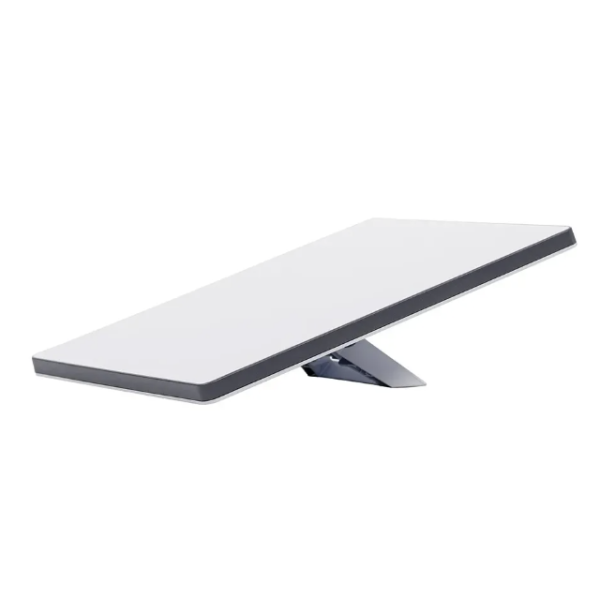
Starlink Mini
2.43 lb, router built into the dish, 25 to 40 W. Covers 1,200 sq ft and up to 128 devices. The low power draw is the underrated part: it is the only terminal a modest power station runs comfortably for a full working day.
Everything about the Mini →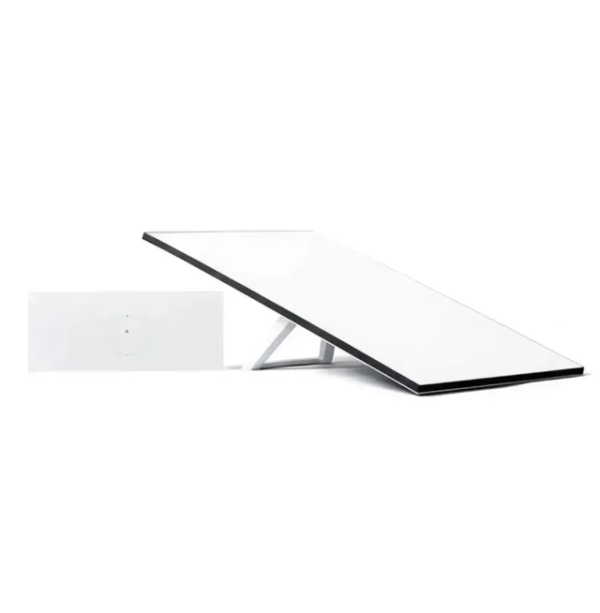
Starlink Standard
6.4 lb, separate Wi-Fi 6 router, 75 to 100 W. Covers 3,200 sq ft and up to 235 devices. The most coverage and throughput per pound spent, and the right default whenever the dish is not going anywhere.
Everything about the Standard →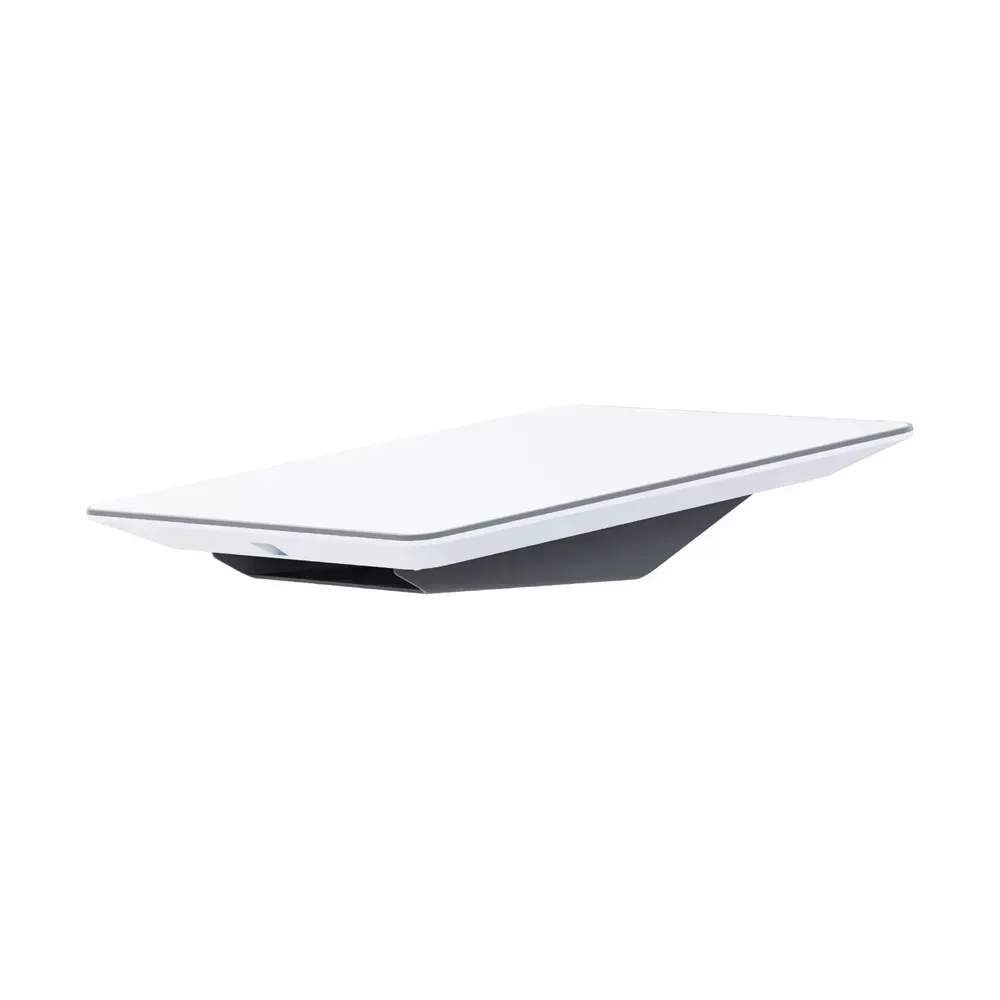
Starlink Performance
11.5 lb, 140 degree field of view, IP69K with cables installed. Operates from -40°F to 140°F, survives 174 mph winds and clears 3.5 inches of snow an hour. Built for vessels, rigs and exposed installations.
Everything about the Performance →Starlink Enterprise
The same panel as the Standard, in a kit built for permanent commercial installation. It ships with a 164 ft cable rather than 50 ft, and a grounded power supply with a dedicated earth terminal and a mount. Specify it when the dish and the equipment room are a long way apart and the install is meant to outlive the project.
See the Enterprise terminal →The rules that settle most cases
01
Something has to carry it, and that something is a person
→Mini
Nothing else is 2.43 lb, and nothing else runs on 25 to 40 W. Both of those stop mattering the moment the dish sits still, which is why the Mini is the wrong default for a fixed site.
02
It sits on a roof, a mast or in a yard and stays there
→Standard
Two and a half times the coverage of the Mini and nearly twice the device count, for less money. If nothing is going to carry it, portability is a premium you are paying for nothing.
03
Salt water, constant vibration, or weather that would worry you
→Performance
The only one rated IP69K, the only one that operates below -22°F, and the only one whose wind figure is about survival rather than operation.
04
The cable run from dish to equipment is longer than about fifty feet
→Enterprise
It ships with 164 ft of cable and a grounded supply. Extending a Standard run is possible but it is a workaround, and grounding on a permanent install is not optional.
Side by side
Full specification comparison
Every figure below is taken from Starlink's own published specification sheet for that terminal. Where a sheet does not state a figure, the cell says so rather than filling the gap with something plausible.
| Mini | Standard | Performance | Enterprise | |
|---|---|---|---|---|
| Best suited to | Crews and vehicles | Fixed sites | Harsh conditions and marine | Permanent commercial installs |
| Weight | 2.43 lb | 6.4 lb | 11.5 lb | Not stated |
| Weight with kickstand | 2.56 lb | 7 lb | Not stated | Not stated |
| Dimensions | 11.75 x 10.2 x 1.45 in | 23.4 x 15.07 x 1.5 in | 24 x 15.6 x 1.6 in | 23.4 x 15.07 x 1.5 in |
| Antenna | Electronic phased array | Electronic phased array | Electronic phased array | Electronic phased array |
| Power draw | 25 to 40 W | 75 to 100 W | 75 to 100 W | 75 to 100 W |
| Field of view | 110° | 110° | 140° | 110° |
| Environmental rating | IP67 | IP67 | IP69K plugged, IP68 unplugged | IP67 |
| Operating temperature | -22°F to 122°F | -22°F to 122°F | -40°F to 140°F | -22°F to 122°F |
| Wind | Operational 60 mph+ | Operational 60 mph+ | Survivable 174 mph+ | Operational 60 mph+ |
| Snow melt | 1 in/hr | 1.5 in/hr | 3.5 in/hr | 1.5 in/hr |
| Router | Built into the dish, Wi-Fi 5 | Separate Router 3, Wi-Fi 6 | Bring your own | Bring your own |
| Wi-Fi coverage | 1,200 sq ft | 3,200 sq ft | Depends on your router | Depends on your router |
| Devices | Up to 128 | Up to 235 | Depends on your router | Depends on your router |
| Cable supplied | 50 ft | 50 ft | 82 ft | 164 ft |
| Published download speed | Not stated on the sheet | Not stated on the sheet | Up to 400+ Mbps | Not stated on the sheet |
Two rows are easy to misread. The Performance wind figure is what the hardware will survive, while the other three describe what they will operate in. And download speed is a property of the service plan rather than the dish, which is why three of those four cells are empty on Starlink's own documentation.
Learn from other people
The three mistakes that cost the most
1
Buying the Mini for a fixed site because it is cheaper
It covers a third of the area and supports about half the devices. If nothing is going to pick the dish up and carry it, that portability is money spent on a property you will never use, and the coverage shortfall shows up the first busy afternoon.
2
Buying hardware before settling the region
Crossing a border and going to sea are the things a plan has to cover. A terminal on a regional plan that leaves its region is not a slow connection, it is no connection. In-motion use is included on everything we sell, so that part is one less thing to get wrong.
3
Measuring the cable run and then ordering exactly that length
The dish wants sky and the router wants to be near people, and those two places are rarely close together. Every kit ships with a set cable length, and the second order is almost always a longer cable.
Expectation setting
Coverage and what actually affects performance
Starlink covers populated landmasses and most maritime regions, with some territories still subject to regulatory approval. Whether it performs where you are is a different question from whether it reaches, and four things account for nearly all of the variation.
Obstructions
The single largest cause of a disappointing install. The dish tracks satellites across a wide arc of sky, so a tree or a roofline that clips that arc causes brief dropouts every time a satellite passes behind it. The app maps this before you drill anything, and it is worth believing what it tells you.
Weather
Heavy rain or snow can reduce throughput while it is falling. Every dish has a heating element to clear its own face: 1 inch an hour on the Mini, 1.5 on the Standard and Enterprise, 3.5 on the Performance. Very heavy snowfall can still outpace the lower ratings, which is a reason to mount somewhere reachable.
Congestion
Bandwidth is shared with everyone else served by the same cell. Busy periods in busy areas are slower than quiet periods in empty ones, which is the opposite of the intuition people arrive with, and it is what priority data on a plan is for.
Mounting and alignment
A dish on the ground on a kickstand works, and a dish mounted high and aimed properly works better. The kickstand is for getting started, not for a permanent install. Anything staying put for months deserves a real mount, and anything on a vehicle or vessel deserves one rated for the speeds involved.
Mounts, cables and accessories →The thing that decides off-grid
Power, and why it quietly settles the terminal choice
Every terminal except the Mini averages 75 to 100 W. The Mini averages 25 to 40 W. On mains power that difference is invisible. Away from mains it decides what is possible.
25 to 40 W
Starlink Mini, average draw
75 to 100 W
Standard, Performance and Enterprise
3x
Roughly the runtime difference on the same battery
A rough figure you can do in your head: divide a power station's watt-hours by about 30 for the Mini, or by about 90 for the others. A 1 kWh station is most of a working day on a Mini and a few hours on a Standard. Cold weather shortens both, because the dish spends energy heating itself.
Running from a vehicle, take DC power directly rather than through an inverter. The Mini supports this with a DC cable, and it avoids the conversion losses that make an inverter the weakest link in an otherwise sensible setup.
Service
How the plans work
One question settles almost every plan choice: does the terminal stay inside one region or leave it. Mobility is included either way, so answer that and only the data tier is left.
Local
For terminals that stay within one region. The lowest cost per gigabyte and the right answer for a depot, an office or a yard that is not going anywhere.
Global
For terminals that cross borders or go to sea. This is what a vessel, an international project or a travelling crew needs, and it is the plan people most often realise too late that they should have bought.
Pooled
One data allowance shared across several terminals on a single account. Easier to administer than a subscription per site, and it stops one quiet location subsidising a busy one.
| Term | What it actually means |
|---|---|
| Priority data | The portion of your monthly allowance that gets precedence on a busy cell. Past it, service continues at a lower priority rather than stopping. |
| Unlimited | The connection does not cut off when priority data runs out. Throughput can drop at congested times. |
| Local | Tied to a home region. Cheapest per gigabyte, and correct if the terminal is not going anywhere. |
| Global | Works across borders and at sea, subject to each territory's regulatory status. |
| Mobility | Use while in motion. Included on every business plan we sell, so it is not a tier to choose or an add-on to buy. |
| Pooled | One allowance shared across several terminals under one account. |
How to size it
Size the allowance from your busiest week, not your monthly average. Most sites are not limited by how much data they move overall, they are limited by the few days when everyone is on a video call and something is backing up to the cloud at the same time. If you are unsure, start one tier below what feels safe: moving up is straightforward, and paying for headroom you never touch is the more common mistake.
The honest version
Buying against renting
There is a crossover point, and it is worth finding before you commit either way.
Buy when the need repeats
If a terminal will go out more than a handful of times a year, or it needs to live permanently on a roof, a mast or a vessel, owning costs less over any sensible horizon and you can mount it properly. You also keep it configured the way your crew expects to find it, which matters more than it sounds like it should.
Shop Starlink kits →Rent when it is one job
A six week shoot. A ten day deployment. A contract somewhere you may never return to. Renting hands you a tested kit with service already active, keeps the hardware off the balance sheet, and means somebody else owns the problem if a unit fails in the field.
See rental kits →The case for trying first
Renting is also the cheapest way to find out whether Starlink suits the work at all. If you are not certain the site has the sky view, or that the plan tier is right, one rental answers both questions for a fraction of a purchase and without committing the capital.
In the field
Where it gets used
The pattern is the same every time: somewhere the infrastructure does not reach, or the day it stops reaching.






Practicalities
What installing one actually involves
Less than people expect. The kits are designed to be self-installed, and the most common reason an install disappoints has nothing to do with the hardware.
1
Find the sky, before anything else
Use the app's obstruction check from the exact spot you are considering. It maps the arc the dish needs and tells you what is in the way. Doing this first is the difference between one install and two.
2
Get power to that spot
Mains if it exists, DC from a vehicle if it does not, or a power station sized from the figures above. This is usually the genuinely hard part, not the satellite side.
3
Mount it properly if it is staying
The kickstand is for getting started. Anything permanent wants a wall, pipe or pole mount suited to the surface, and anything on a vehicle or vessel wants one rated for the speeds and vibration involved.
4
Run the cable, then put the router where people are
The dish wants sky and the router wants to be near the people using it. Plan the cable for the second of those, not the first.
5
Power it up and let it find itself
Alignment is software assisted. It orients, finds satellites and comes online without anyone on a roof with a signal meter, which is the part that genuinely is as easy as it sounds.
Setup documentation
Our own guides cover each model, alignment, and the questions that come up most often once a kit is out of the box.
Starlink setup and installation guides →Alignment and obstruction checks →Starlink Mini compared with the Standard →Cold weather and freezing conditions →
Describe the site to us and we will tell you what it needs. Call (800) 279-2366.
Read this before you commit
What Starlink does not do
Every one of these is solvable. None of them is solved by the dish.
It does not work without power
A terminal draws 25 to 100 W continuously. When the generator stops or the battery flattens, the connection goes with it. Anything that has to survive a power failure needs its own power plan, not just its own internet.
It does not work without sky
Indoors, under dense canopy, in a steep valley or against a tall building on the wrong side, it will struggle or fail. The app will tell you honestly if you let it.
It is not a guaranteed inbound connection
Terminals sit behind carrier-grade NAT by default, so inbound connections do not work without a public address, and that is a plan-tier question. Build anything you host with that in mind.
And it is not a substitute for a satellite phone
This is the one worth being unambiguous about. Starlink is an internet connection. If somebody has to be reachable during a power failure, in a place with no sky view, or while walking away from the vehicle, a handset on a different network and its own battery is what does that job. Operations that take communication seriously carry both, precisely because the two fail for different reasons.
Satellite phones and radios →Reference
Glossary
The terms that come up in every Starlink conversation, in plain language.
- Low Earth orbit (LEO)
- An orbit a few hundred miles above the Earth. Close enough that the distance stops contributing meaningfully to delay, which is the whole basis of Starlink's advantage.
- Geostationary orbit (GEO)
- An orbit roughly 22,000 miles up, where a satellite stays above the same point on the ground. Used by traditional satellite internet, and the reason it feels delayed.
- Phased array
- An antenna that steers its beam electronically rather than by moving. It is how a flat panel tracks fast-moving satellites and hands off between them with no moving parts.
- Field of view
- How wide an arc of sky the dish can use. 110 degrees on most terminals, 140 on the Performance. A wider view gives more satellites to choose from and more tolerance of imperfect siting.
- Obstruction
- Anything that blocks part of the sky the dish needs. Trees, rooflines and masts are the usual culprits, and brief repeated dropouts are the usual symptom.
- Priority data
- The share of your monthly allowance that gets precedence when the local cell is busy. Past it, service continues at lower priority rather than stopping.
- Mobility
- Use of the terminal while it is in motion. Included on every business plan we sell, so it is not a separate permission or an upgrade.
- Pooled data
- One allowance shared across several terminals on a single account, rather than a separate subscription for each.
- IP rating
- How well sealed the hardware is against dust and water. IP67 covers immersion; IP69K adds high-pressure, high-temperature water jets, which is why it appears on the marine terminal.
- Snow melt capacity
- How much snowfall per hour the dish's heater can clear off its own face. 1 inch on the Mini, 1.5 on the Standard and Enterprise, 3.5 on the Performance.
- Carrier-grade NAT
- A shared-address arrangement that lets many customers use one public IP. It is why inbound connections do not work by default and why a public address is a separate plan question.
- Kit
- The boxed set: dish, power supply, cabling and a basic mount or kickstand. Longer cables, proper mounts and cases are bought separately.
Questions
Starlink, answered
Starlink is a satellite internet network operated by SpaceX. Thousands of satellites orbit a few hundred miles up, and a flat phased-array dish on the ground tracks them electronically, handing off between them with no moving parts. Because the satellites are so much closer than traditional geostationary ones, the delay caused by distance becomes negligible, which is what makes real-time work practical.
For internet, yes, and that is a genuine change from earlier satellite services. Video calls, remote desktop and VoIP all behave normally. What it does not replace is a communication method that survives a power failure or a lack of sky view, which is a different requirement and needs different equipment.
Decide where the dish will physically live. Carried by a person, the Mini. Fixed to a building or in a yard, the Standard. On a vessel, a rig or anywhere exposed, the Performance. A permanent commercial install with a long cable run, the Enterprise.
Coverage, capacity and power. The Mini covers 1,200 sq ft, supports up to 128 devices, has its router built in and draws 25 to 40 W. The Standard covers 3,200 sq ft, supports up to 235 devices, uses a separate Wi-Fi 6 router and draws 75 to 100 W. The Mini weighs 2.43 lb against the Standard's 6.4 lb.
Speed depends on the service plan and on how busy the local cell is, not on the dish, which is why Starlink publishes speeds against plans rather than against most hardware. The one exception is the Performance terminal, whose specification sheet states download speeds up to 400+ Mbps.
Yes, though heavy precipitation can reduce throughput while it falls. Every dish heats itself to clear snow: up to 1 inch an hour on the Mini, 1.5 inches on the Standard and Enterprise, and 3.5 inches on the Performance. Very heavy snowfall can outpace the lower ratings, so mount somewhere you can reach.
The Mini averages 25 to 40 W. The Standard, Performance and Enterprise all average 75 to 100 W. As a rough guide for battery power, divide a power station's watt-hours by about 30 for the Mini or about 90 for the others to estimate hours of runtime.
Yes. Take DC power directly rather than using an inverter, which wastes energy in conversion. The Mini supports this with a DC cable and is the terminal best suited to it, because its draw is roughly a third of the others.
Yes. Mobility is included on every business plan we sell, so in-motion use is not a separate permission and not an upgrade. What the plan decides is how far the terminal may travel: a local plan moves freely within its home region, a global plan moves across borders and at sea.
A local plan is tied to a home region and is the cheapest per gigabyte. A global plan works across borders and at sea, subject to each territory's regulatory status. If the terminal will ever operate outside its home region, it needs a global plan.
Service continues, but at a lower priority than traffic that still has priority data available. In practice it is unaffected most of the time and slower when the local cell is busy.
Yes, on a pooled plan. Multiple terminals draw from one shared allowance under a single account, which is usually easier to administer than a separate subscription per site, and it prevents a quiet location's unused data going to waste.
Usually not. The kits are designed for self-installation and alignment is software assisted, so nobody needs to be on a roof with a signal meter. Permanent roof, mast and vessel mounts are the exception and are worth doing properly, particularly the grounding.
The dish, a power supply, cabling and a basic mount or kickstand. The Standard adds a separate Router 3. The Mini has its router built in and includes a pipe adapter and flat mount. Cable lengths differ by kit: 50 ft with the Mini and Standard, 82 ft with the Performance and 164 ft with the Enterprise.
A mount that suits the surface, a cable longer than you measured, and a case for anything that leaves a building. For the Mini specifically, a DC power option matters more than anything else, because it is what makes vehicle and off-grid use practical.
Almost always an obstruction. The dish uses a wide arc of sky, so a tree or roofline that clips that arc causes a short dropout each time a satellite passes behind it. The app's obstruction check will identify it.
Not by default. Terminals sit behind carrier-grade NAT, so inbound connections do not work without a public address, which is available on some plan tiers. Even then the address can change, so anything you host should tolerate that.
Rent for a single project, an unpredictable schedule, or a location you will not return to. Buy once the same kit would be deployed more than a handful of times a year, or when it needs a permanent mount. Renting is also the cheapest way to test whether a site works at all.
No. We supply business and enterprise service. Starlink's residential terms do not permit commercial use, so business service is the correct route for any company, whatever the consumer pricing looks like.
Yes, and it is worth doing before anything is ordered. Send the site list with locations, whether each is fixed or mobile, and rough headcount, and we will come back with terminals and plan tiers. Call (800) 279-2366.
Loading...