

Thuraya Hotspot Devices

1
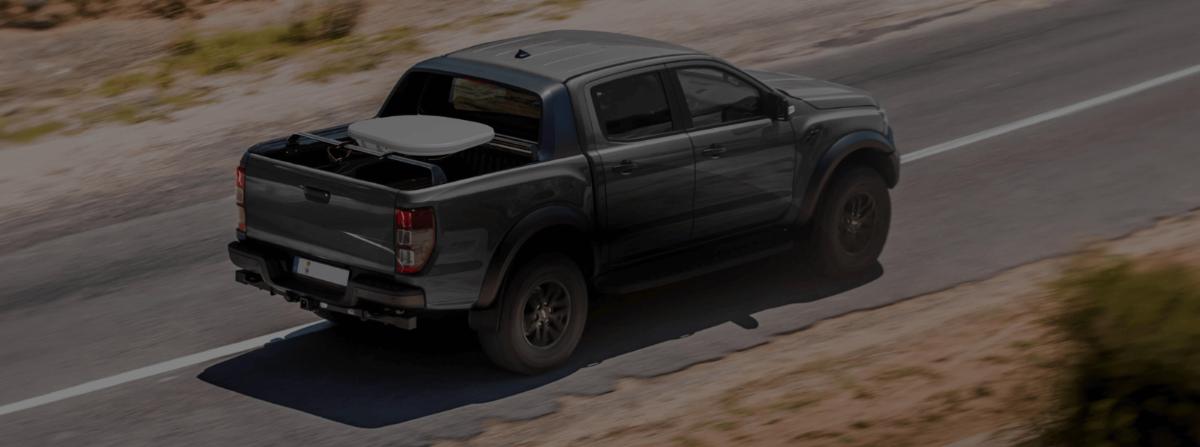
A flat tablet-sized satellite hotspot on the hood of a 4x4 in an arid landscape, two people nearby with phones and a laptop, clear sky.

Thuraya Hotspot Devices

Thuraya WE: Dual-Mode Satellite and LTE Hotspot for 10 Devices

One flat unit that switches between Thuraya's satellite network and local 4G LTE, sharing the connection with up to 10 phones and laptops. Built for teams working across Europe, Africa, the Middle East and most of Asia.

Who the Thuraya WE is for

The Thuraya WE is for people who work or travel inside Thuraya's footprint and want one device that covers both the cellular and the no-signal parts of the day. Aid workers moving between a city office and a field site, survey and mining crews across North Africa and the Gulf, overlanders crossing Central Asia, and media teams on assignment in the Middle East are the typical buyers.

It is not for anyone whose route touches the Americas or the Pacific region. Thuraya's satellites serve Europe, Africa, the Middle East and most of Asia, and nothing beyond that footprint. If you are reading this from the United States for a domestic or trans-Pacific trip, the Iridium GO and GO exec at /buy/hotspot-devices/iridium-hotspot-devices are the right devices.

Like every device in this category, the WE is a hotspot, not a broadband terminal. Its satellite mode is faster than most hotspots at up to 384 kbps, which is enough for email, messaging apps and light web use, but it is not built for video calls or streaming. For that class of connection see /buy/satellite-internet.

Thuraya hotspot devices

In stock in San Diego and shipped with activation on a Thuraya plan.

What the Thuraya WE does

Thuraya calls the WE the world's first dual-mode satellite and LTE hotspot, and that dual mode is the whole point. In a town it connects to 4G LTE on bands 1, 3, 5, 7, 8 and 20 and behaves like an ordinary mobile router. Drive out of coverage and it switches to Thuraya's satellite network, either automatically or on your command, and the phones connected to it keep working without anyone touching a setting.

Up to 10 smart devices join its Wi-Fi within a radius of 30 metres or more with clear line of sight. Thuraya rates satellite data at up to 384 kbps in standard mode, which puts it well above the narrowband Iridium GO for email with attachments and light app traffic. In satellite mode the Thuraya WE app turns each connected phone into a satellite phone, using the phone's own contact list for calls and SMS.

The unit weighs 1.0 kg, measures 230 x 197 x 24 mm and carries an IP54 rating against dust and water spray. It is rated to operate from -20 to 55 C. Battery life depends heavily on mode: Thuraya quotes 5 hours of satellite voice, 3 hours of satellite data, 9 hours of cellular data and 20 hours of cellular standby. Three hours of satellite data is the number to plan around; on a working day it needs a vehicle charger or a power bank.

Management is through a web interface or the Thuraya WE app on Android (4.2 and later) or iOS (9 and later), covering network selection, connected devices and usage.

Close-up of a flat satellite hotspot's status lights with a phone showing a call screen next to it, on a vehicle dashboard or desk.

Thuraya coverage: where the WE works and where it does not

Thuraya operates geostationary satellites, so coverage is a fixed footprint rather than global. The footprint covers Europe, Africa, the Middle East and most of Asia. Within it, a WE with a view of the sky toward the satellite will connect from a desert, a mountain range or a coastal vessel.

Outside the footprint the device has no satellite service at all. That excludes North and South America and the Pacific region, including Oceania, following the Thuraya-3 satellite failure in April 2024. Do not buy a WE for a route that crosses into those regions; take an Iridium device instead, or carry both if the trip spans both footprints.

Because the satellites are geostationary, the WE works best with a clear view toward the equator-side sky. Deep valleys and urban canyons that block that direction will interrupt satellite mode, which is one reason the LTE fallback is so useful in and around cities.

Thuraya coverage map showing Europe, Africa, the Middle East and Asia only, with no coverage shown over the Pacific region or the Americas.

Thuraya WE vs Iridium GO exec

The GO exec is the closest alternative on satmodo.com. Figures from thuraya.com and iridium.com.

Thuraya WEIridium GO exec
CoverageEurope, Africa, Middle East, most of AsiaGlobal, including the poles and oceans
Cellular fallback4G LTE built in, auto or manual switchingNone
Satellite data speedUp to 384 kbps standard modeUp to 88 kbps receive, 22 kbps transmit
Connected devicesUp to 10Wi-Fi plus ethernet and dual USB-C
VoiceCalls and SMS through the Thuraya WE appTwo simultaneous voice lines, built-in speaker and mic
Battery5 hr sat voice, 3 hr sat data, 9 hr cellular data, 20 hr cellular standby6 hr talk, 24 hr standby
Weight1.0 kg1,200 g
Size230 x 197 x 24 mm203 x 203 x 25 mm
Ingress ratingIP54IP65
Operating temperature-20 to 55 C-20 to 50 C
SOSNot published24/7 IERCC monitoring on registration

Sources: thuraya.com/we and the Thuraya WE factsheet; iridium.com/products/iridium-go-exec. Speeds are network maximums, not typical throughput.

Thuraya WE or an Iridium hotspot?

The decision is almost always about geography first and data second.

1

Check the route against the footprint

Every point on your itinerary inside Europe, Africa, the Middle East or Asia: the WE is in play. Any point in the Americas, Oceania or the Pacific: Iridium, full stop.

2

Weigh the LTE fallback

If your days mix city and field, the WE's automatic switch to LTE saves satellite airtime and keeps everyone on one Wi-Fi network. If you are never near a tower, the fallback is worth nothing and Iridium's speed and durability ratings matter more.

3

Count the users and the data

Ten people sharing email and messaging apps favours the WE's 384 kbps and 10-device limit. Two people needing simultaneous voice calls and 24 hours of standby favours the GO exec.

4

Think about weather exposure

IP54 protects against spray and dust; IP65 protects against water jets. On a vessel deck or in monsoon conditions, the GO exec's rating is the safer one. In a vehicle or a compound, IP54 is fine.

What you need alongside the Thuraya WE

The unit ships ready to pair; these keep it working in the field.

A Thuraya SIM and plan sized for your data use; ask us to match it to email-heavy or voice-heavy work.
A local LTE SIM for the destination if you want the cellular fallback, since LTE service is separate from the Thuraya plan.
The Thuraya WE app on each phone, on Android 4.2 or later or iOS 9 or later, installed before departure.
Vehicle power or a power bank: 3 hours of satellite data will not cover a working day on its own.
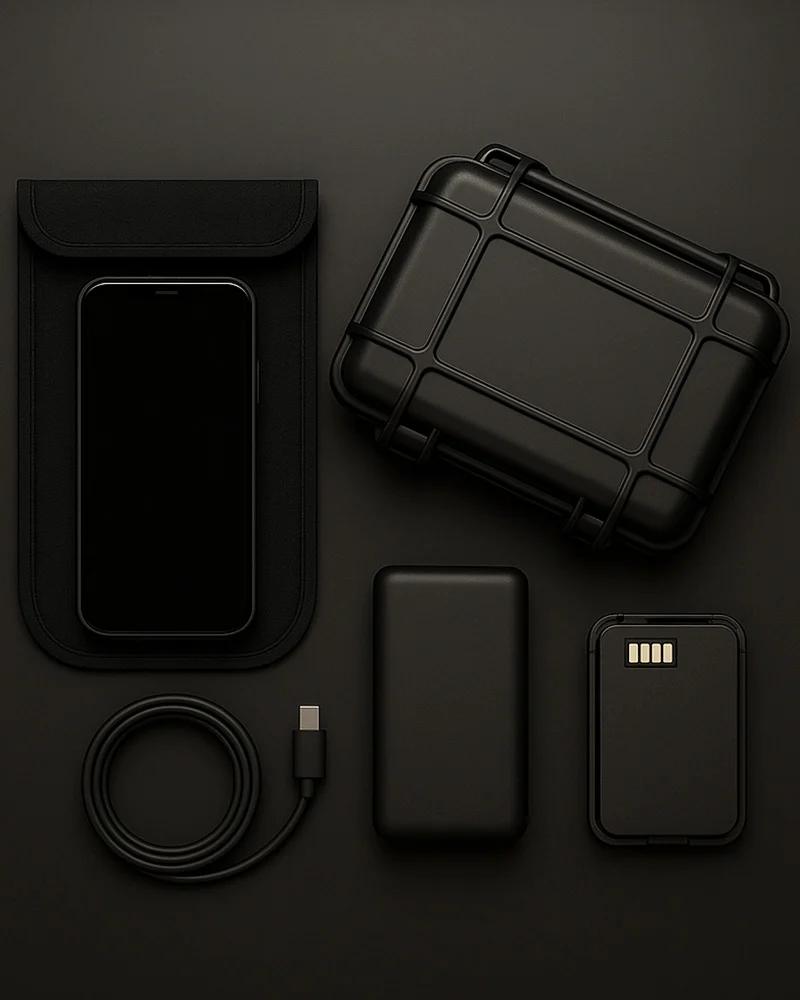
A padded case; the unit is IP54 and flat, so it travels best protected from impact.
Background sync and app updates disabled on connected devices to protect airtime in satellite mode.
A backup plan for any leg outside the footprint, such as an Iridium GO from our rental range.

Not sure Thuraya covers your route?

Send us the itinerary. We will confirm coverage point by point and tell you whether the WE, an Iridium hotspot, or both is the right call.

Call (800) 279-2366

Keep reading

Frequently asked questions

Where does the Thuraya WE work?
The Thuraya WE works across Europe, Africa, the Middle East and most of Asia, which is Thuraya's satellite footprint. It has no satellite service in North or South America or the Pacific. For those regions choose an Iridium GO or GO exec.
Does Thuraya cover Oceania or the Pacific?
No. Since the Thuraya-3 satellite failure in April 2024, Thuraya's coverage is Europe, Africa, the Middle East and most of Asia only. Travellers to Oceania, the Pacific or the Americas should carry an Iridium GO or GO exec instead.
How fast is the Thuraya WE?
Thuraya rates satellite data at up to 384 kbps in standard mode, and the unit also connects to 4G LTE where a cellular network is available. That is enough for email, messaging and light web use, but it is not designed for streaming or video calls.
How many devices can connect to the Thuraya WE?
Up to 10 smart devices can join the WE's Wi-Fi within a radius of 30 metres or more with clear line of sight. Connected phones use the Thuraya WE app for calls and SMS in satellite mode.
Can I make calls with the Thuraya WE?
Yes. In satellite mode the Thuraya WE app turns a connected smartphone into a satellite phone, making calls and sending SMS from your existing contact list. Voice is rated at 5 hours of battery in satellite mode.
What is the battery life of the Thuraya WE?
Thuraya quotes 5 hours of satellite voice, 3 hours of satellite data, 9 hours of cellular data and 20 hours of cellular standby. Plan on vehicle power or a power bank for a full working day in satellite mode.
Is the Thuraya WE waterproof?
It is rated IP54, which protects against dust and water spray but not against water jets or submersion. For open-deck or heavy-rain use, the IP65-rated Iridium GO exec is the more weather-resistant choice.
Thuraya WE or Iridium GO exec: which should I buy?
Buy the WE if every leg of your trip is inside Europe, Africa, the Middle East or Asia and you want LTE fallback and up to 10 users. Buy the GO exec if any leg is outside that footprint, if you need two simultaneous voice lines, or if durability and standby time matter more than raw speed.
Does the Thuraya WE need a plan?
Yes. It needs a Thuraya SIM and airtime plan for satellite mode, and a separate local LTE SIM if you want cellular fallback. We activate the Thuraya plan before shipping so the unit connects on arrival.
Loading...

Expert Tip: Getting the Best Performance from Thuraya Hotspots

Thuraya hotspots deliver reliable satellite data, but managing expectations around speed is key. This is functional connectivity—ideal for email, compressed images, weather downloads, map updates, and essential web browsing. High-bandwidth activities like video calls or streaming are not practical. For field operations, reporting, and forecast checks, however, Thuraya performs reliably within its coverage footprint.

When operating outside GSM coverage, switch the device fully into satellite mode rather than dual-mode. Proper positioning is also critical—point the unit toward the satellite for stronger signal acquisition. In the northern hemisphere, that generally means facing south. Even small adjustments in angle can significantly improve connection quality and stability.

FAQs:

  • What is the coverage area for Thuraya hotspots? Thuraya covers Europe, Africa, the Middle East, Central Asia, South Asia, and Australia. It does not provide coverage in the Americas or polar regions. Always verify your destination against the official coverage map before deployment.
  • How many devices can connect to a Thuraya hotspot? Most Thuraya hotspot models support approximately 8–10 simultaneous WiFi connections, making them suitable for small teams sharing a single satellite link.
  • What data speeds can I expect from Thuraya? Standard IP data speeds reach up to 384 kbps. This supports email, messaging apps, light browsing, and small file transfers. Large downloads and video streaming are not recommended.
  • Do Thuraya hotspots require an airtime plan? Yes. An active Thuraya data plan is required to access satellite services. Plans are available in prepaid and monthly options with varying data allowances.
  • Can I make voice calls using a Thuraya hotspot? Some Thuraya devices support both voice and data, while others are data-only. Confirm the specific model’s capabilities before purchase or consider pairing with a Thuraya satellite phone for voice communication.

Create Requisition List

Loading...
Loading...
Confirmation