
Hotspot Devices
5 results
Hotspot Devices
5 results

Satellite Hotspot Devices
Satellite Hotspots: Your Own Phone, Connected Where Cell Service Ends
A satellite hotspot links your iPhone or Android to a satellite network over Wi-Fi, so you keep calling, texting, emailing and pulling weather from places with no signal. This page explains what a hotspot does, what it does not do, and which one fits your trip or job.
What is a satellite hotspot device?
A satellite hotspot is a small, battery-powered unit that talks to a satellite network on one side and broadcasts a private Wi-Fi network on the other. Your own smartphone or tablet joins that Wi-Fi, opens the maker's app, and from then on your calls, texts, emails and weather requests travel up to the satellites instead of to a cell tower. The phone in your pocket becomes the handset; the hotspot does the satellite work.
You know the moment this solves. Two days into a backcountry trip, forty miles offshore, or parked at a job site in a valley, the phone says No Service. A satellite hotspot gets that phone talking again, using the contacts, keyboard and screen you already know.
What it is not is a replacement for your home broadband. Hotspots in this category run on narrowband satellite services. They are built for messages, voice calls, compressed email and small weather files. They will not stream, load a normal web page, or run a video call. If you need those, you are shopping for a different class of equipment, covered further down this page.
Handset, hotspot or satellite internet: three tiers, three different jobs
Satellite communication splits into three tiers, and most buying mistakes come from mixing them up. The first tier is the satellite handset, such as an Iridium 9555 or an IsatPhone 2: voice calls, SMS and, on some models, tiny amounts of data through a cable. It is the simplest, toughest option and works with no other device.
The second tier is the satellite hotspot on this page. It uses the same narrowband networks as a handset, but it gives you Wi-Fi so your own phone or laptop does the talking through an app. That means a familiar keyboard, your contact list, optimized email, GRIB weather files and tracking, and on some models two people can call at the same time. Speeds are measured in kilobits, not megabits. Think dial-up era, and plan your use accordingly.
The third tier is satellite internet: BGAN and Certus terminals, VSAT and Starlink business hardware. These are the systems that actually load web pages, run video calls and support an office or vessel crew. They cost more, weigh more and usually need mounting or a clear sky in a fixed spot. You will find them at /buy/satellite-internet and the Starlink range at /buy/starlink. If your first question is 'can I browse and stream', start there rather than here.
Satellite hotspots by network
The network decides where the device works and how much data it moves. Pick the network first, then the device.
Iridium hotspot devices
Iridium GO and Iridium GO exec run on the only network with true pole-to-pole coverage. GO is the pocket-sized classic for calls, texts, email and weather. GO exec adds Iridium Certus 100 for faster data, a touchscreen and two simultaneous voice lines. A marine antenna kit extends GO exec below deck.
Explore →
Thuraya hotspot devices
The Thuraya WE is a dual-mode satellite and LTE hotspot for up to 10 devices. It suits users working across Europe, Africa, the Middle East and most of Asia. It does not cover the Americas or the Pacific region, so it is the wrong pick for a US trip.
Explore →
Globalstar 9600
A compact data hotspot that plugs into a Globalstar GSP-1700 handset and shares its data connection over Wi-Fi for compressed email, GRIB weather and light mobile pages through the Sat-Fi app. It is an add-on for existing Globalstar phone owners, not a standalone hotspot.
Explore →
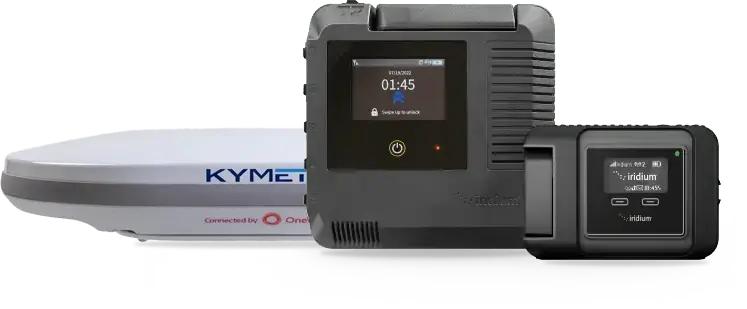
Kymeta flat-panel terminals
Kymeta hardware is satellite internet, not a hotspot. The KyWay Go and Kyway U7 are electronically steered Ku-band flat panels for vehicles and vessels, and they live in our Land Mobility range. This page explains the difference and points you there.
Explore →What an Iridium GO will and will not do
This is the question we answer most often, so here is the plain version. An Iridium GO will make and receive voice calls through your phone, send and receive SMS, run optimized email through the Iridium Mail app, download compressed weather and GRIB files through apps such as PredictWind, send GPS tracking points, and fire an SOS from a programmable one-touch button on the unit. Up to five devices can join its Wi-Fi within roughly a 30 metre radius.
An Iridium GO will not load a normal web page, open social media feeds, stream music or video, sync your photo library, or run FaceTime, WhatsApp video or Zoom. Apps that were not written for it will time out or quietly burn through airtime trying. It is a narrowband device by design: the trade-off buys a unit that weighs 305 g, fits in a jacket pocket, carries an IP65 rating, and works at both poles.
The Iridium GO exec is the step up within the same family. It runs on Iridium Certus 100 service, which Iridium rates at up to 88 kbps receive and up to 22 kbps transmit. That is a real difference for email with attachments, light app traffic and weather, and it supports two voice lines at once. It is still narrowband. If you have read this far and want a web browser, skip to satellite internet.
How to choose a satellite hotspot
Work through these five questions and the right model usually picks itself.
1
Where will you use it?
Iridium covers the entire planet, including the poles and open ocean. Thuraya covers Europe, Africa, the Middle East and most of Asia and nothing in the Americas. Globalstar is a regional network, so check its map for your route. For North America, Alaska, Canada, offshore and anywhere remote, Iridium is the safe default.
2
What do you need to send?
Calls, texts, tracking and basic email: the Iridium GO does it in the smallest package. Email with attachments, several people online, two calls at once, or a work laptop: the GO exec's Certus 100 speed earns its extra size and weight. Anything involving a browser or video: go to satellite internet.
3
How many people share it?
GO supports up to five devices. GO exec adds ethernet and dual USB-C alongside Wi-Fi. Thuraya WE supports up to 10 devices. On a crewed vessel or a field team the higher limits matter; solo, they do not.
4
Fixed, vehicle or on foot?
On foot, weight wins: the GO is 305 g against 1,200 g for the GO exec. On a boat or in a cabin, an external antenna matters more than weight, which is why the GO exec Marine Antenna Kit exists. In a vehicle that needs connection while moving, you are into flat-panel or in-motion terminals, not hotspots.
5
Buy or rent?
A one-off expedition or a hurricane season is often a rental. Repeated trips, a vessel, or a preparedness kit you want ready on the shelf is a purchase with a plan you can suspend between trips. Our specialists will tell you honestly which route fits your pattern of use.
Iridium GO vs GO exec vs Thuraya WE vs Globalstar 9600
Only rows traceable to the manufacturer or the product page are shown. Blank cells mean the maker does not publish that figure.
| Iridium GO | Iridium GO exec | Thuraya WE | Globalstar 9600 | |
|---|---|---|---|---|
| Network | Iridium (global) | Iridium Certus 100 (global) | Thuraya satellite plus 4G LTE | Globalstar (regional) via GSP-1700 handset |
| Data speed | Narrowband, app-optimized | Up to 88 kbps receive, up to 22 kbps transmit | Up to 384 kbps standard mode (satellite) | 9.6 kbps |
| Voice | Yes, through the app | Two simultaneous voice lines | Calls and SMS through the Thuraya WE app in satellite mode | Via the connected Globalstar handset |
| Wi-Fi devices | Up to 5 | Wi-Fi plus ethernet and dual USB-C | Up to 10 | Wi-Fi enabled phones, tablets, laptops |
| Wi-Fi range | About 30 m (100 ft) | 30 m or more, clear line of sight | Up to 30 ft | |
| Battery | 5.5 hr talk, 15.5 hr standby | 6 hr talk, 24 hr standby | 5 hr satellite voice, 3 hr satellite data | 4 hr use, up to 36 hr standby |
| Weight | 305 g | 1,200 g | 1.0 kg | 57 g |
| Size | 114 x 82 x 32 mm | 203 x 203 x 25 mm | 230 x 197 x 24 mm | 61.5 x 61.5 x 21 mm |
| Ingress rating | IP65, MIL-STD 810F | IP65 | IP54 | |
| Operating temperature | 10 to 50 C | -20 to 50 C | -20 to 55 C | |
| SOS | One-touch SOS button | 24/7 IERCC monitoring (registration) | ||
| Web browsing or streaming | No | No | Light use only | Light mobile pages only, no video or music |
Sources: iridium.com product pages, Thuraya WE factsheet (thuraya.com), Globalstar 9600 sales sheet (globalstar.com), satmodo.com product pages. Speeds are network maximums, not typical throughput.
Satellite hotspot devices in stock
Every unit ships from San Diego, activated on a plan before it leaves.
Who buys a satellite hotspot?
The same five devices serve very different days. Here is how each group actually uses them.

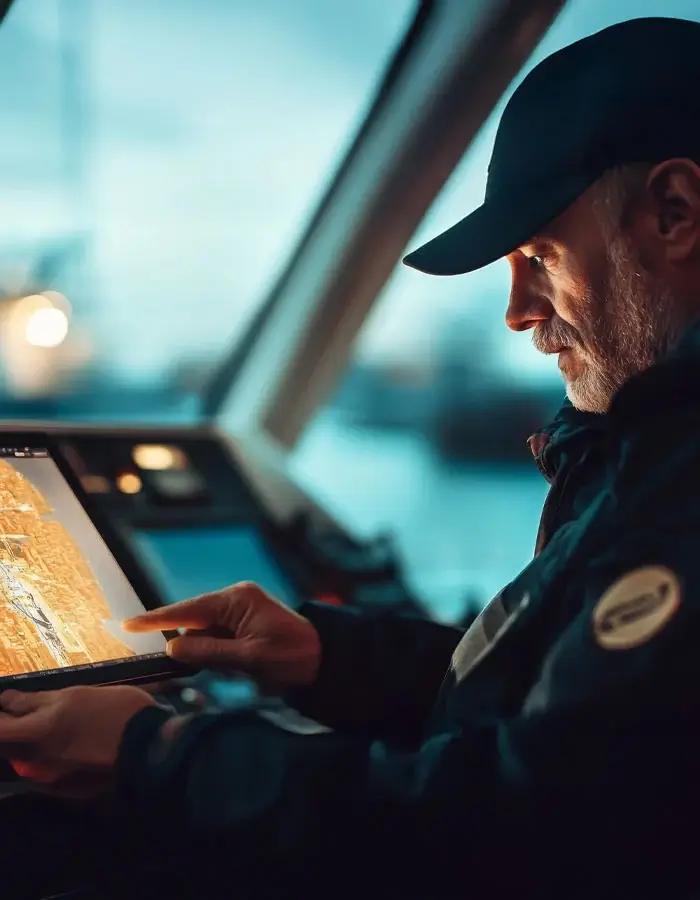
Boaters and offshore crews
GRIB weather downloads before a passage, position reports to family, and a voice line to a marina or coast guard. A GO exec with the marine antenna kit keeps the terminal at the nav station while the antenna sits in clear sky.
Explore →
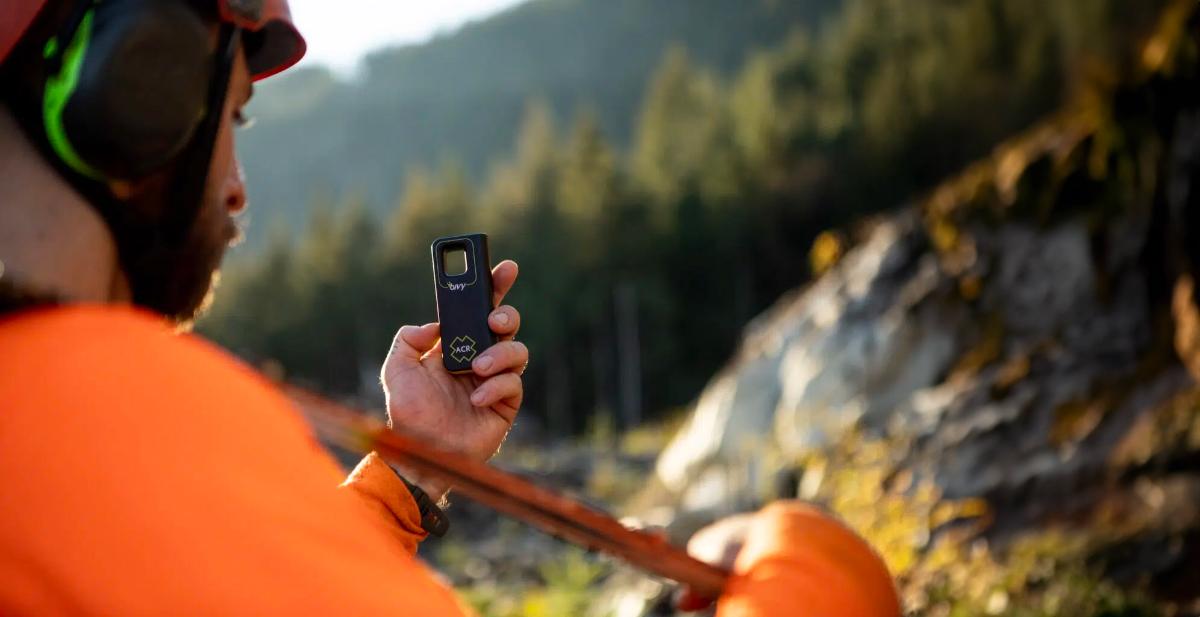
Expedition and backcountry travellers
The Iridium GO rides in a pack lid, sends a nightly check-in, pulls a forecast, and gives the group a way to call out if a plan changes. Its size and battery life fit multi-day trips where every gram counts.
Explore →
Emergency preparedness households
When cell towers go down in a hurricane or wildfire, a hotspot lets the whole family text and call from their own phones through one unit. It sits charged in the go-bag with a plan that can be activated fast.
Explore →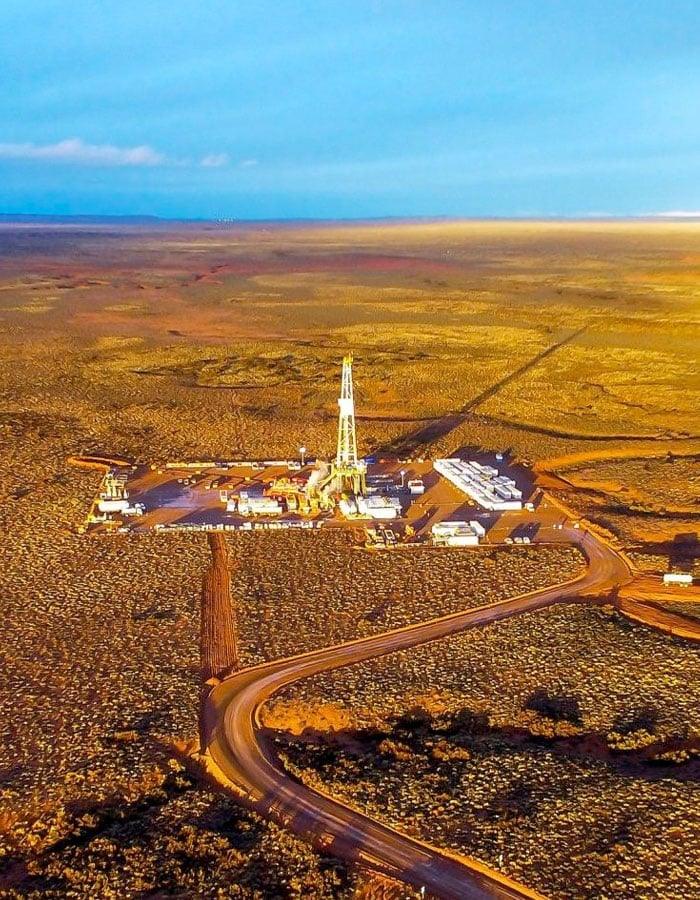
Field crews and remote work
Oil, gas, mining and utility teams use the GO exec for compressed email, dispatch calls and check-ins from sites with no coverage. Two voice lines mean a supervisor and a technician can both be on a call.
Explore →What you need alongside a satellite hotspot
The box gets you the hardware. These are the things that make it work on the day.
A service plan on the right network. GO and GO exec use different plan families; we will match the plan to your expected email and voice use.
The maker's app installed on every phone that will connect, tested at home before you leave. Iridium GO app for the GO, Iridium GO exec app for the exec, Thuraya WE app for the WE, Sat-Fi for the Globalstar 9600.
Clear view of the sky. Below deck or deep in a cabin you need an external antenna such as the GO exec Marine Antenna Kit.
Power. Battery life is measured in hours, not days; carry a vehicle charger, power bank or small solar kit from our off-grid power range.
Not sure whether you need a hotspot or satellite internet?
Tell us where you are going, how many people are connecting and what you need to send. We will point you to the right tier the first time, whether it is a pocket-sized Iridium GO or a terminal from the satellite internet range.
Keep reading
From the Satmodo help centre
Iridium GO vs Iridium GO execHow To Use Iridium GOIridium GO Help Series: How to Set Up Email (Off-grid)Iridium GO Help Series: How to Setup Emergency SOSIridium GO Help Series: How to Setup PredictWind (Weather Tracking)Iridium GO exec FAQsIridium GO exec for NGOs Use CaseFrequently asked questions
What is a satellite hotspot device?
A satellite hotspot is a battery-powered unit that connects to a satellite network and creates a Wi-Fi network your own phone or tablet joins. Through the maker's app, your phone then makes calls, sends texts and email, and downloads weather over satellite. The hotspot handles the satellite link; your phone is the handset.
Does a satellite hotspot give me internet?
No, not in the sense of browsing, streaming or video calls. Devices like the Iridium GO and GO exec are narrowband: they carry voice, messaging, compressed email and weather through specific apps. If you need to load web pages or run video, you need satellite internet equipment, which is a separate range at /buy/satellite-internet and /buy/starlink.
Can I browse the web with an Iridium GO?
No. The Iridium GO does not load normal web pages. It supports voice calls, SMS, optimized email, weather and GRIB downloads, GPS tracking and SOS through apps written for it. The GO exec is faster but still does not support browsing as you know it from a phone on cellular.
What is the difference between the Iridium GO and the Iridium GO exec?
The GO exec runs on Iridium Certus 100 service, rated at up to 88 kbps receive and 22 kbps transmit, and supports two voice lines at once, a colour touchscreen, ethernet and dual USB-C ports. The original GO is far smaller and lighter at 305 g versus 1,200 g, connects up to five devices, and is built for calls, texts, email and weather. Choose the GO for size and simplicity, the GO exec for more data and more people.
Is a satellite hotspot better than a satellite phone?
It depends on who is using it. A hotspot lets several people use their own phones through one unit, gives you a familiar keyboard and optimized email, and adds weather and tracking. A handset is simpler, tougher, works with nothing else and does not depend on a smartphone battery. Many customers carry a handset as the primary and a hotspot for the team.
Which satellite hotspot works in the United States, Alaska and Canada?
Iridium GO and Iridium GO exec, because the Iridium network covers the whole planet including the poles. Thuraya WE does not cover the Americas. The Globalstar 9600 depends on Globalstar coverage, which is regional, so check the Globalstar map for your exact area before choosing it.
Where does the Thuraya WE work?
Thuraya covers Europe, Africa, the Middle East and most of Asia. It does not cover North or South America. If you are travelling within that footprint and want a dual-mode satellite and LTE device for up to 10 users, it is a strong option; outside it, choose Iridium.
How long does a satellite hotspot battery last?
Iridium rates the GO at 5.5 hours talk and 15.5 hours standby, and the GO exec at 6 hours talk and 24 hours standby. Thuraya rates the WE at 5 hours satellite voice and 3 hours satellite data. Globalstar rates the 9600 at 4 hours of use and up to 36 hours standby. Plan on a power bank or vehicle charger for anything longer than a day.
Can I use a satellite hotspot indoors or below deck?
Only with an external antenna. Satellite hotspots need a clear view of the sky, so inside a cabin, a building or below deck the signal drops. The Iridium GO exec Marine Antenna Kit moves the antenna outside so the terminal can stay at the chart table or desk.
Do I need a service plan for a satellite hotspot?
Yes. Every hotspot needs an active plan on its network before it will connect. Iridium GO and GO exec use different plan types, and Thuraya and Globalstar have their own. We activate the unit before it ships so it works out of the box, and we can help you pause a plan between trips.
Does the Globalstar 9600 work on its own?
No. The Globalstar 9600 is a data hotspot that connects to a Globalstar GSP-1700 handset by cable and shares that phone's data link over Wi-Fi through the Sat-Fi app. It also works with the GSP-1600 and GSP-2900 with an adapter. Without a Globalstar handset it does nothing.
Should I rent or buy a satellite hotspot?
Rent for a single trip or one season; buy if you use it every year, keep it on a boat or vehicle, or want it ready in a preparedness kit. Rentals arrive tested and active, and purchases come with a plan you can suspend between uses. Call (800) 279-2366 and we will tell you which fits your pattern.
Loading...
Choosing the Right Satellite Hotspot for Your Travels
Satellite hotspots are a game-changer for personal safety and convenience in the wilderness. To help you choose the best device for your next trip, consider how these key features impact your off-grid experience:
Seamless Smartphone Integration
The primary benefit of a satellite Wi-Fi hotspot is its ability to pair with your iOS or Android device via a dedicated app. This allows you to use your phone's interface to compose messages and manage contacts. When selecting a device, consider the Iridium GO! for its 100% global coverage and rugged durability, or the Globalstar Sat-Fi2 for faster data speeds in specific regions. These hotspots transform your smartphone into a versatile tool for checking SOS alerts, downloading GRIB files for maritime weather, or simply sending a "checked in" text to loved ones.
Portable Power and Battery Life
Since these devices are often used in remote areas, battery performance is critical. Most satellite hotspots are designed to be lightweight and pocket-sized, making them easy to carry in a backpack or emergency kit. We offer a variety of charging accessories, including DC vehicle adapters and solar-compatible cables, to ensure your hotspot stays powered during long-distance treks. Keeping your hotspot charged ensures that your primary link to emergency services is always active when you need it most.
Optimized Signal for Vehicles and Cabins
To get the best performance, a satellite hotspot needs a clear line of sight to the sky. If you plan to use your device from inside a vehicle, a remote cabin, or a boat, we recommend pairing it with an external satellite antenna. This allows the hotspot to remain safely indoors while the antenna captures a strong signal from the exterior. This setup is ideal for overlanders and sailors who need consistent connectivity while on the move or seeking shelter from the elements.