
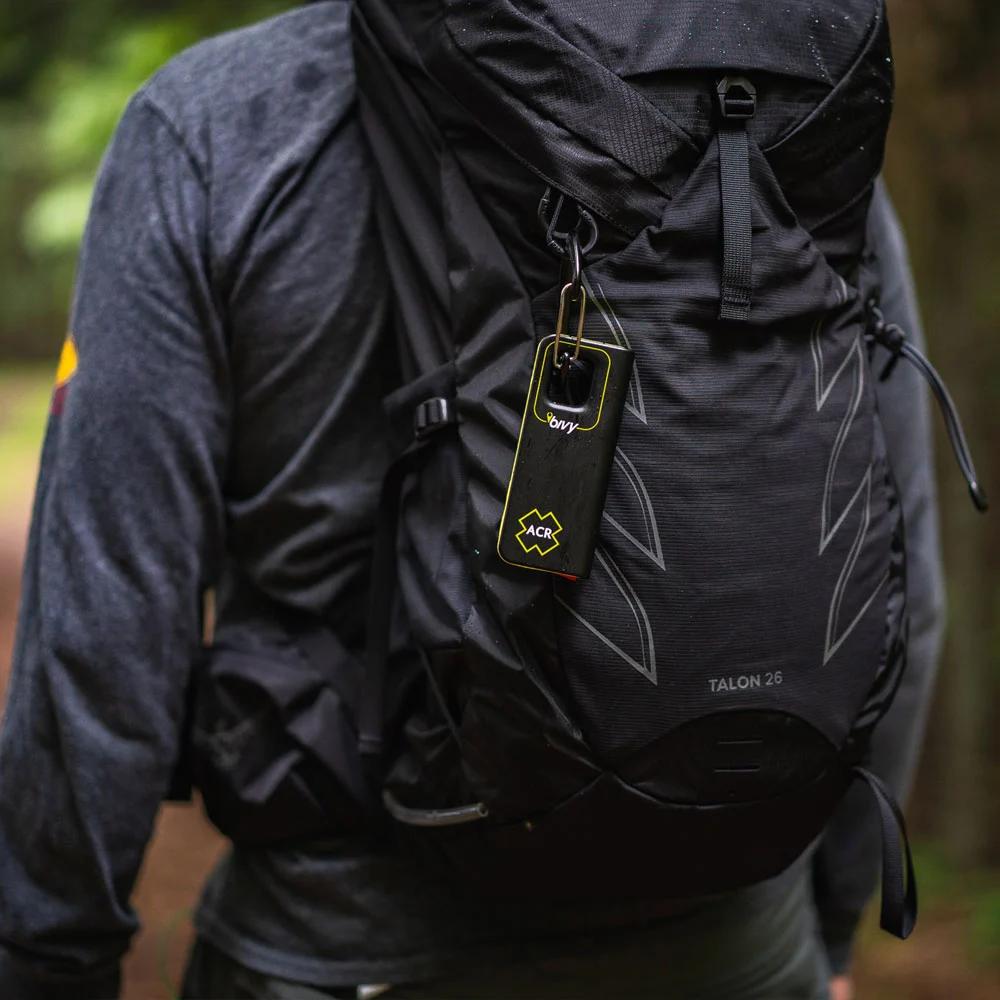

Expert Tip: Getting the Most Out of Your Bivystick
The Bivystick performs best when used strategically. Satellite messaging is slower than standard SMS, so expect approximately 30–60 seconds for a message to transmit. To save time in the field, pre-write common messages—such as safety check-ins or arrival confirmations—before leaving cellular service so you can send them quickly when needed.
Clear sky visibility is essential for reliable satellite connection. In canyons, dense forests, or obstructed terrain, move to a clearing or ridgeline to improve transmission. For optimal signal performance, clip the Bivystick to the outside of your pack with the logo facing upward, as the antenna is positioned on that side.
FAQs:
- Does the Bivystick require a subscription? Yes. The Bivystick operates on the Iridium satellite network and requires an active service plan for messaging and tracking. Plans range from basic check-in packages to unlimited messaging options.
- What phones are compatible with the Bivystick? The Bivystick connects via Bluetooth to both iOS and Android devices. Simply download the Bivy app to send messages, view maps, and manage tracking features. Your phone does not need cellular service—only Bluetooth connectivity to the device.
- How long does the Bivystick battery last? Battery life averages about 24 hours with continuous tracking, or several days on standby with periodic check-ins. Actual duration depends on tracking intervals and message frequency. A small power bank is recommended for extended trips.
- Can recipients reply to my satellite messages? Yes. Two-way messaging allows contacts to reply via email or through the Bivy web portal, with responses routed back to your phone through the Bivystick device.
- Does the SOS feature work in remote areas? Yes. The Bivystick uses the Iridium satellite network for global coverage, including remote and polar regions. SOS alerts are routed to a 24/7 emergency response coordination center that works with local search and rescue teams.